


 Switch to Smart
How to Renew Your Smart Signature Plan
SMART Signature services continue to expand to give subscribers the best entertainment and productivity experience.
Especially now, during an age where we transition to work-from-home and remote activities, we want our Smart Signature Plans to cater to our subscribers’ ever-changing needs.
If you have a SMART Signature Postpaid Plan and would like to renew it, SMART makes it easy for you to do so through these channels.
Renew Your plan via the Smart Online Store
1. Go to the Smart Online Store
- Go to the Smart Online Store, open the menu and select Plan Renewal.
- Input the mobile number you would like to renew
- An OTP will be sent for verification
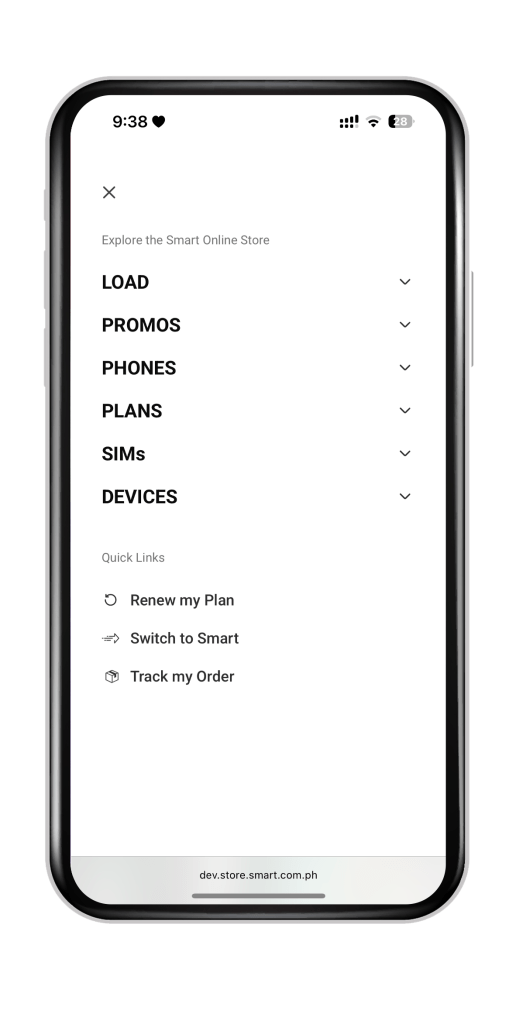
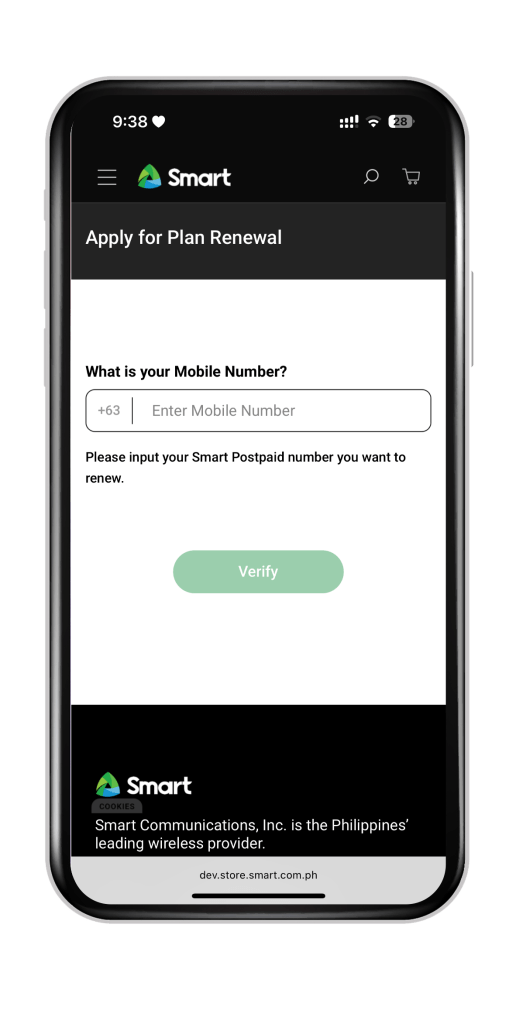
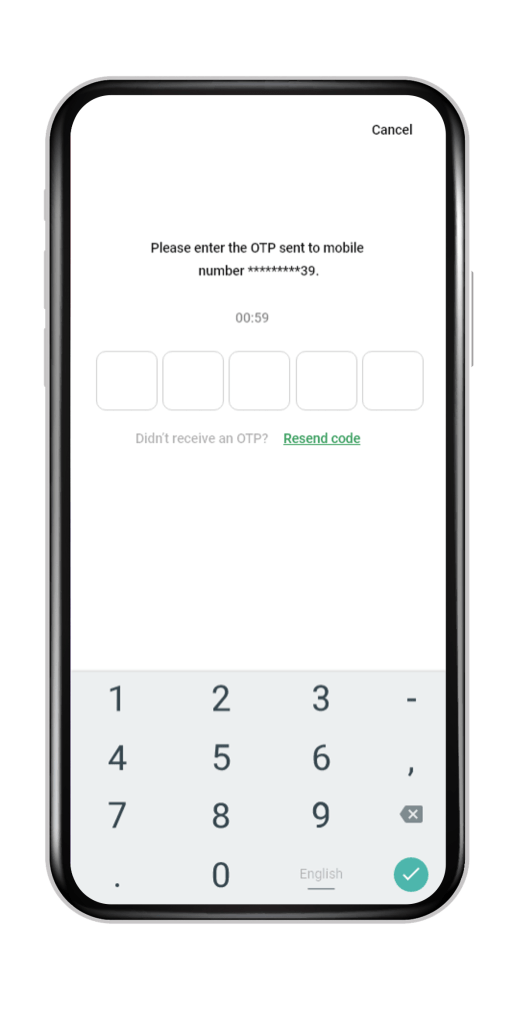
2. Select your desired postpaid plan package
You’ll be able to see other plan options should you wish to upgrade.
Select your preferred choice. You can also select “All Plans.”
- After choosing your desired plan, select your device.
- Select your desired options for your SIM.
- Proceed to checkout.
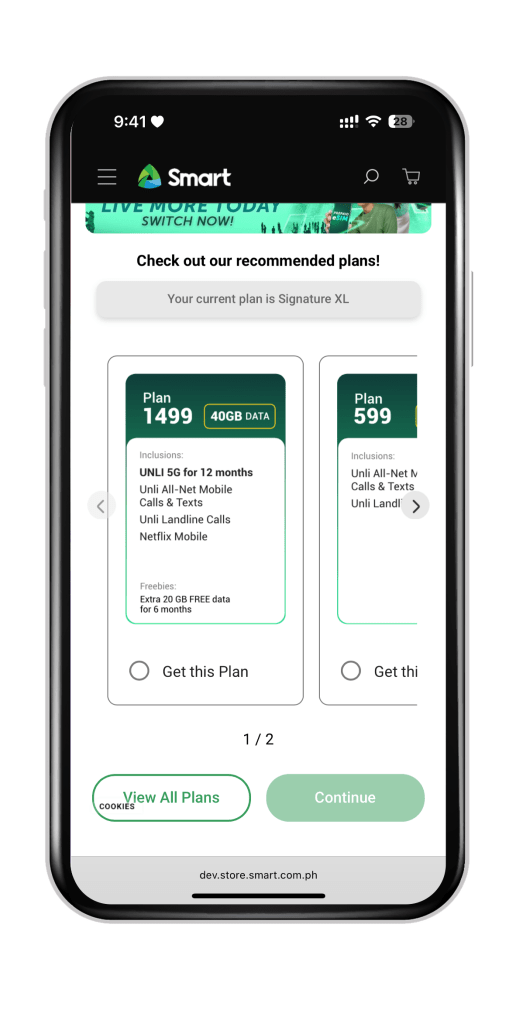
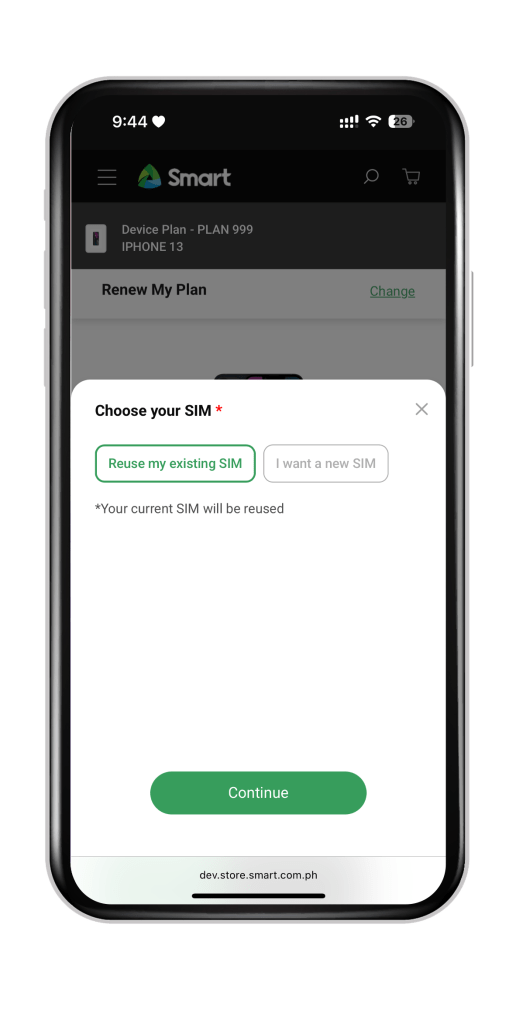
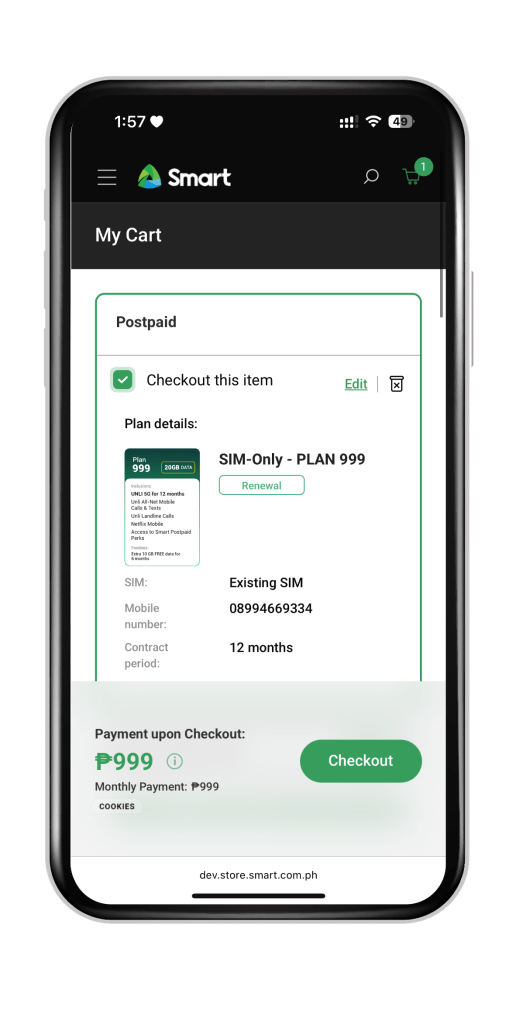
3. Submit your application after providing the requirements
- Verify with your email address and input the OTP.
- Upload proof of your identity and complete the live selfie verification, then click continue.
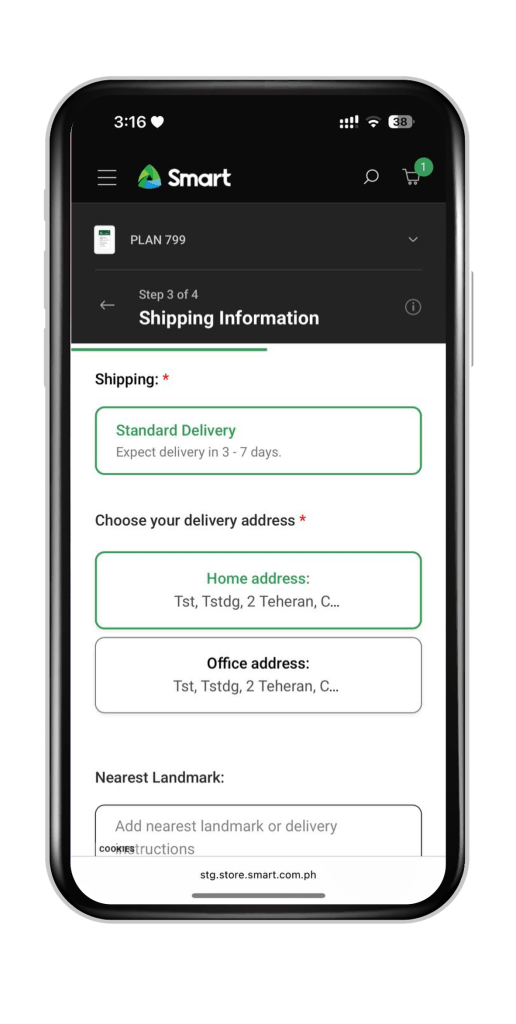
- Choose your delivery address (Home Address or Office Address)
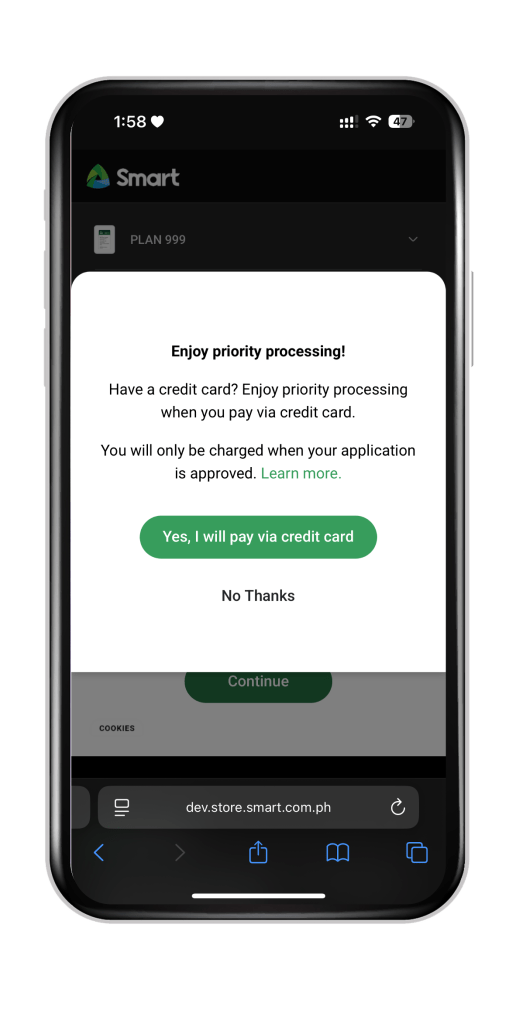
- Select if you want priority processing
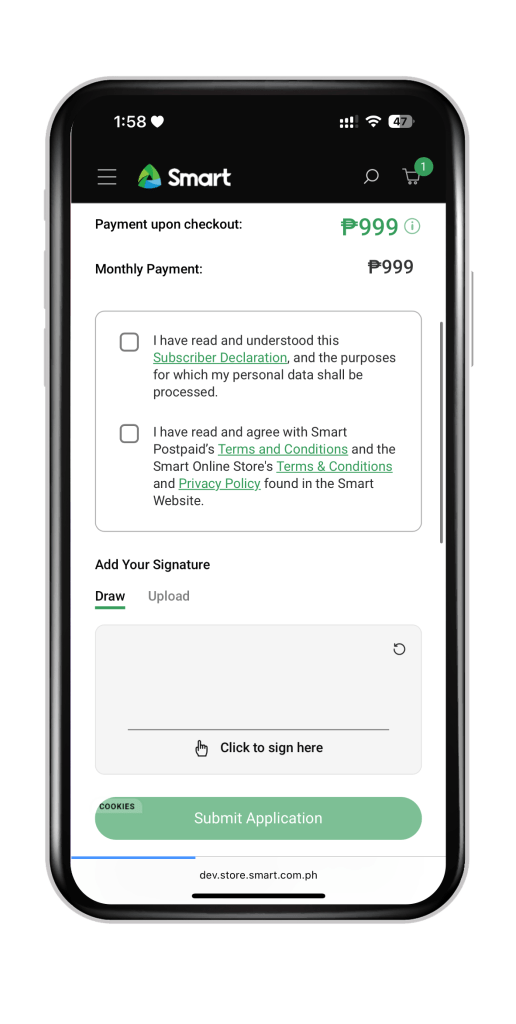
- Review your order summary.
- Accept the Terms and Conditions and then upload your signature.
- Click “Submit Application.”
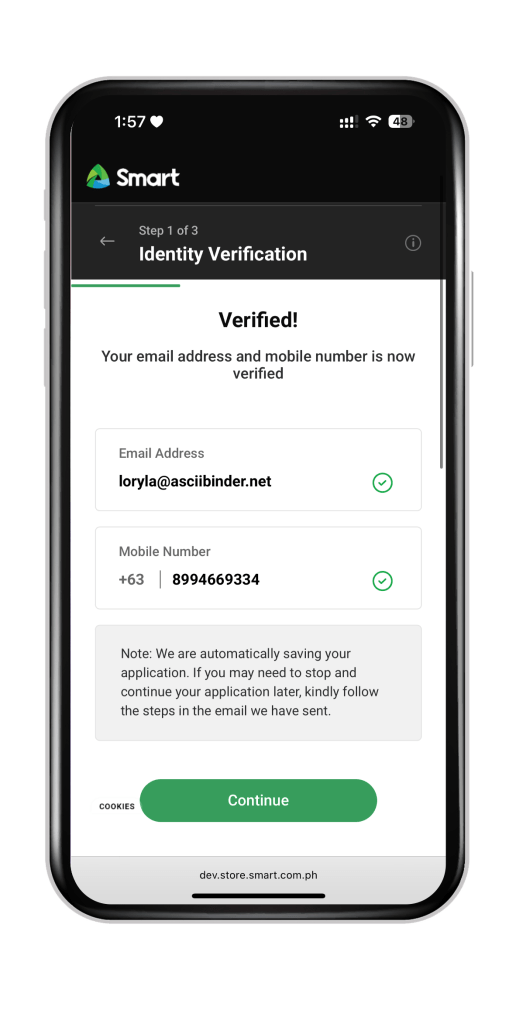
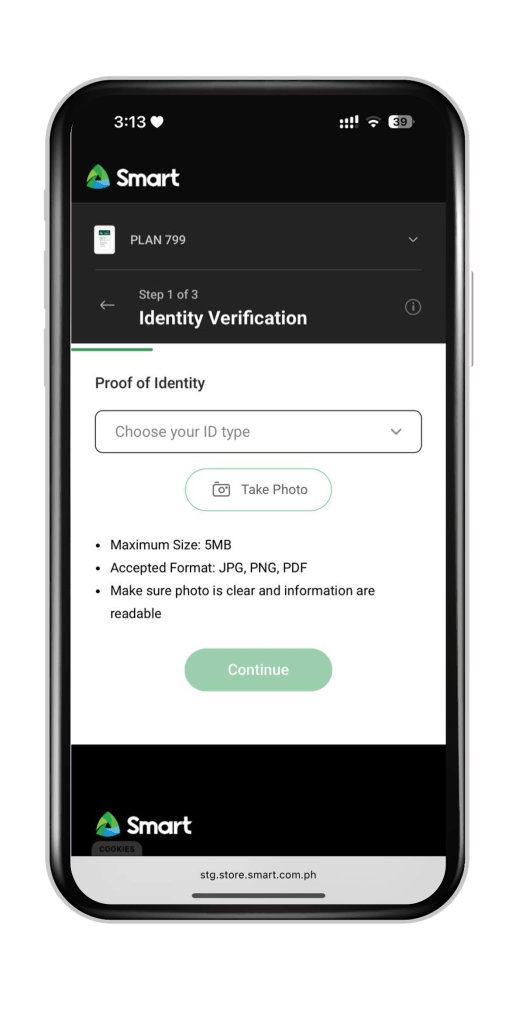
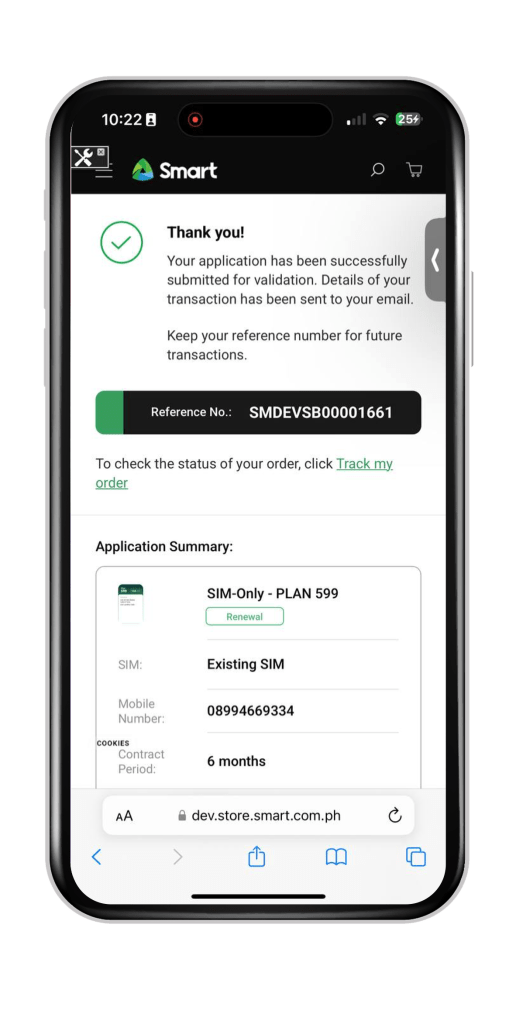
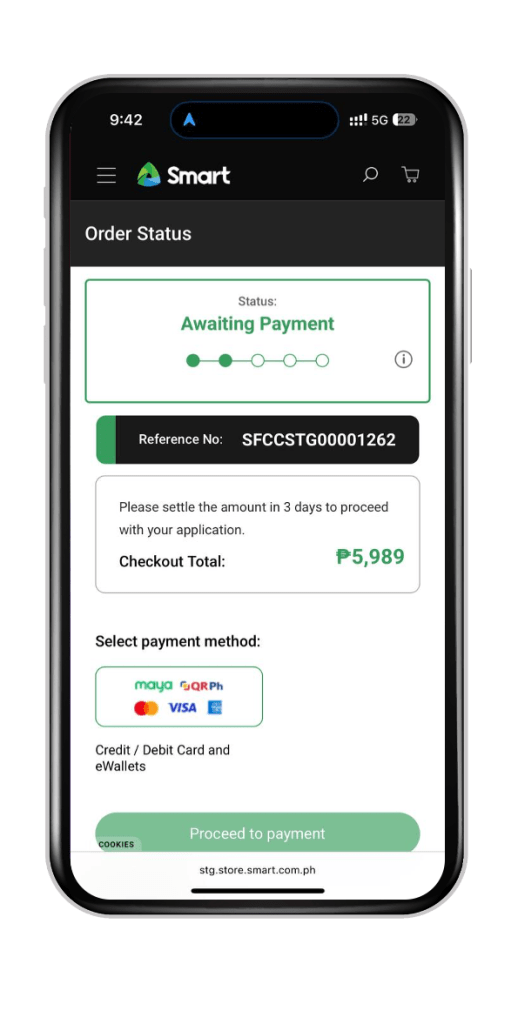
4. Wait for the email confirmation and settle the required payment (if needed)
For customers who selected priority processing: You will receive a notification via email of your approval and kindly wait for the delivery of your device and SIM (If a new SIM was selected)
For customers who did not choose priority processing: You will be asked to open your application in the Order Tracking page
Please ready the following:
- Order Reference Number
- Email Address – An OTP will be asked for verification
Choose your preferred payment method then select “Proceed to Payment.” You may get redirected to our third party payment gateways to complete your transaction
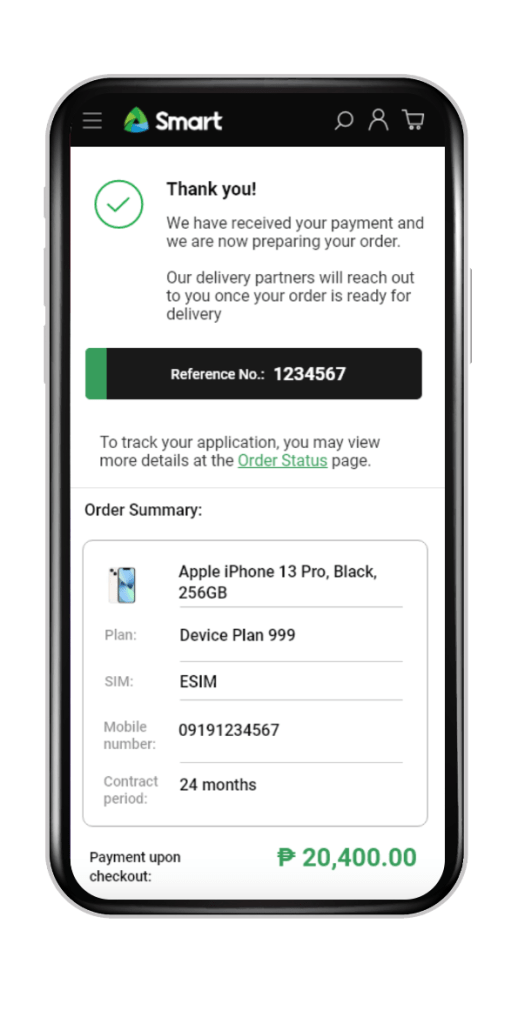
5. Wait for a Welcome Message from Smart
Once everything is settled, you will receive a confirmation message from Smart once your plan is renewed.
Renew Your Smart Signature Plan by Visiting the Nearest SMART Store
1. Locate the nearest SMART store and book an appointment
If you prefer to have your postpaid plan renewed in person, you can find the nearest SMART store in your area through this link.
You can either opt for an in-store appointment or a virtual appointment.
2. Prepare these requirements
- An active email address
- 1 Valid ID
- Updated Proof of Income or Financial Capacity (in case you would want to upgrade to a higher plan)
How to Know if You can Renew Your Smart Signature Plan
To know if you are eligible for a renewal or an upgrade to your plan the following criteria must be met:
1. Contract Status:
- If you are out of contract.
- If you only have 1-5 months remaining on your 24-month contract
- If you only have 1-3 months remaining on your 12-month contract
2. No outstanding balances – Make sure you have already settled any outstanding balances on your account. If your current plan includes a device, you must complete the full payment before applying.
3. You do not have any ongoing or pending renewal applications.
Note that if you avail of early plan renewal, your remaining months will be transferred to your new contract term.
You will also not be allowed to downgrade your plan as this will entail settlement of Commitment Charges (also known as Pre-termination Fee/PTF).
Should you wish to downgrade, please wait until your contract expires.
You can check the website for more information on SMART Signature services and other plans that may be perfect for you.