


 Switch to Smart
How to Subscribe to Smart Home WiFi Promos Using the Smart App
Smart Home WiFi makes it easy to subscribe to data promos. You can do this quickly through the Smart App, available on both Android and iOS.
*Promos featured in this article apply to Smart Home WiFi Prepaid and PLDT Prepaid Home WiFi. For more info about these devices, visit: Smart Home WiFi Devices
Step 1: Open the Smart App
Ensure you have the latest version installed from Google Play or the App Store, and log in to your Smart Home WiFi Prepaid account.
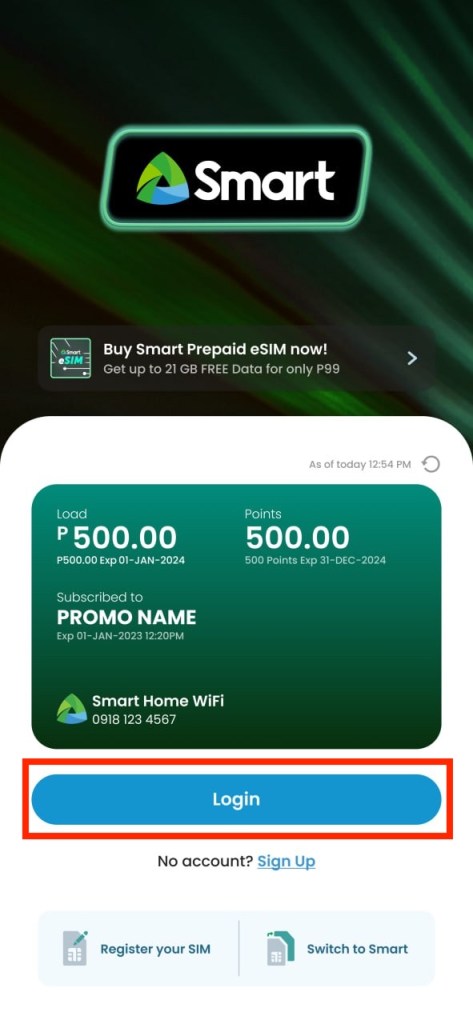
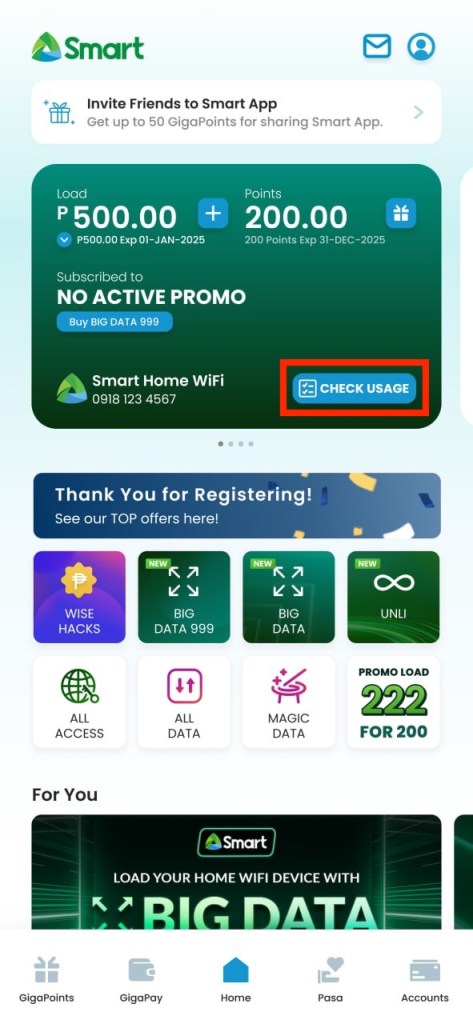
Step 2: Access your Home WiFi account
- On the dashboard, tap the Smart Home WiFi Prepaid tile.
- Select the correct Home WiFi Prepaid account if you have multiple accounts linked.
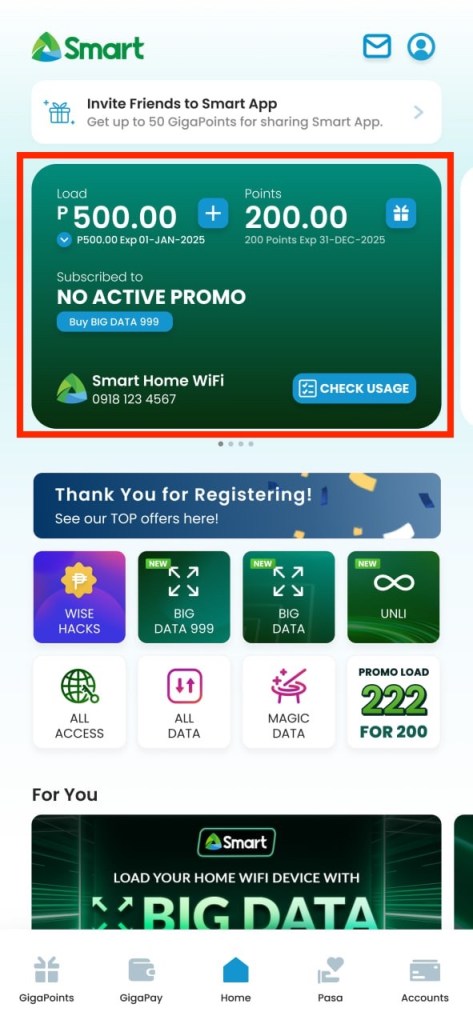
Step 3: Tap the tile of your preferred promo category
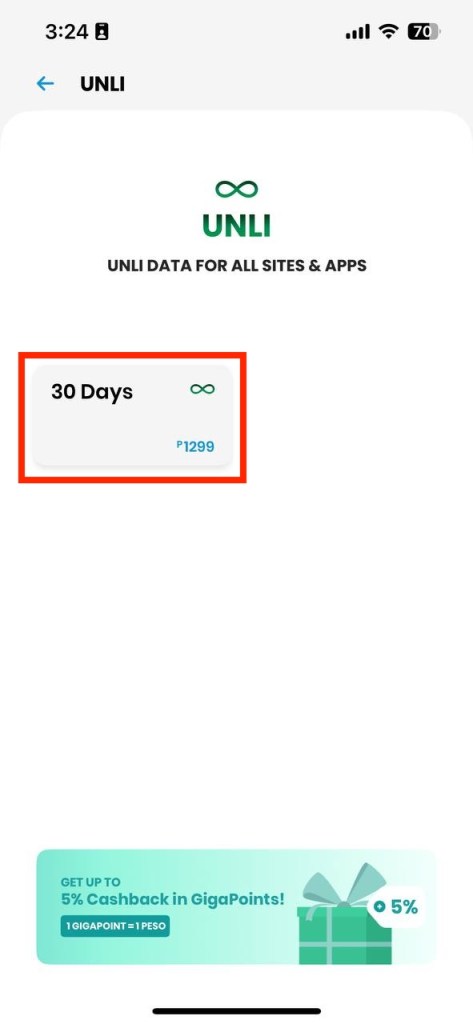
- Choose among Big Data, Unli, All Access, Magic Data, etc.
- Browse available denominations and validity options.
- Tap your preferred offer.
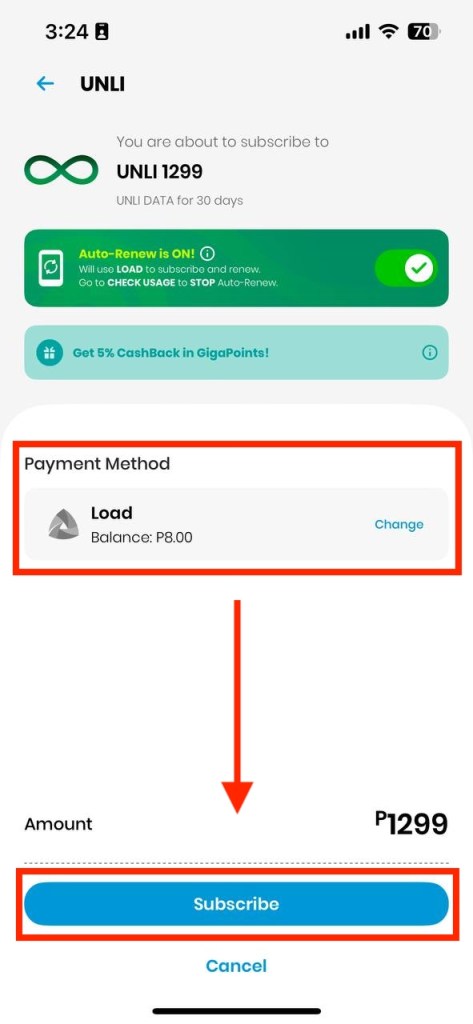
- Choose your payment method.
- Tap SUBSCRIBE and confirm.
Step 4: Check your active promos
- Return to the home page, and click Check Usage to view your active bundles and monitor your usage and remaining validity.
Payment options:
- Make sure you have enough load balance to register, OR
- Use your credit/debit card, or an e-wallet (such as Maya or GCash) to pay directly in the app.
- You may also use GigaPay for a faster and more seamless checkout experience. Learn how to add load and purchase promos using GigaPay here.
Other Ways to Subscribe
Aside from the Smart App, you can also register to promos through:
- The Smart Online Store
- Your favorite e-wallets like GCash, Maya, or ShopeePay
- Any authorized Smart retailer nationwide
- Smart Load retailers using Smart Load Cards
To see the complete list of available payment channels, you may refer to this guide.