


 Switch to Smart
How to Subscribe to Blacknut Using Your Smart Home WiFi Account
Blacknut is now available in the Philippines, giving you access to over 1,000 premium games that you can play instantly on compatible devices.
You can conveniently charge your Blacknut subscription to your Smart Home WiFi Prepaid or Smart Home WiFi Postpaid account through Direct Carrier Billing (DCB).
For Smart Home WiFi Prepaid, your subscription fee will be deducted from your regular load balance. For Smart Home WiFi Postpaid, the fee will be charged directly to your monthly bill.
Follow the steps below to start your Blacknut subscription.
Before You Begin
Before subscribing, make sure that:
- Your device is connected to your Smart Home WiFi Prepaid or Smart Home WiFi Postpaid modem.
- You are using a supported device such as a Smart TV, PC, laptop, tablet, or mobile phone.
- If you are using Smart Home WiFi Prepaid, you have enough regular load to pay for your chosen subscription.
- If you are using Smart Home WiFi Postpaid, your available credit limit can accommodate the subscription charge.
How to Subscribe to Blacknut
Step 1
Connect your device to your Smart Home WiFi Prepaid or Smart Home WiFi Postpaid network.
Step 2
Open your browser and visit the Blacknut subscription page.
https://profile.blacknut.com/en/p/smartcom
Step 3
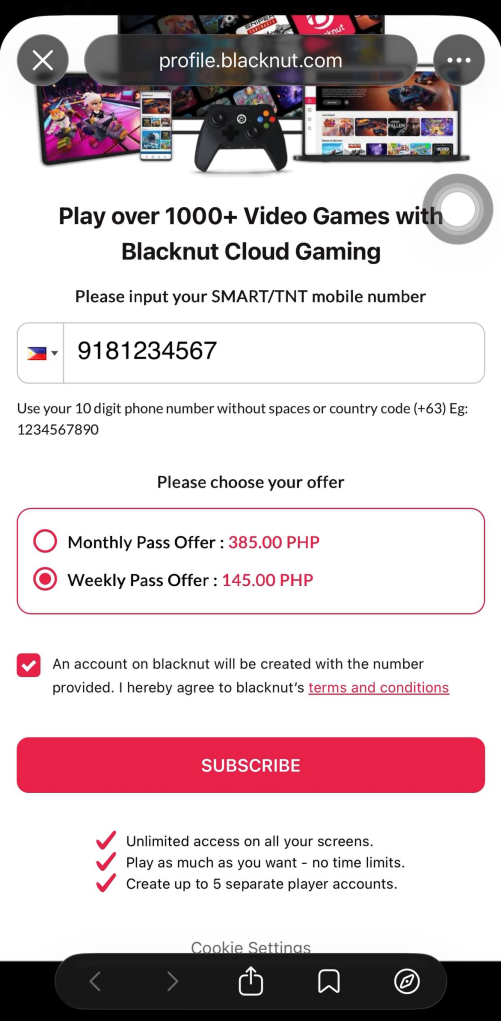
Enter your Smart Home WiFi Prepaid or Smart Home WiFi Postpaid mobile number.
Note: Ensure you have sufficient regular load (Prepaid) or available credit limit (Postpaid) to complete your subscription.
Step 4
Choose your preferred Blacknut subscription plan, then click Subscribe.
Step 5
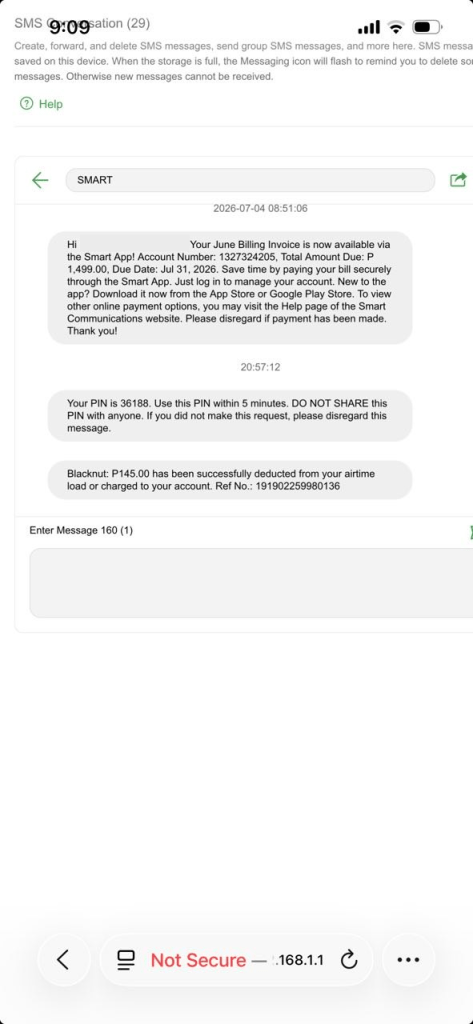
Retrieve the One-Time Password (OTP) sent to the inbox of your Smart Home WiFi modem.
To access your modem inbox, go to 192.168.1.1 while connected to your Smart Home WiFi network.
For detailed instructions on accessing your modem inbox, see How to View Your SMS Using Your Smart Home WiFi Device.
Step 6
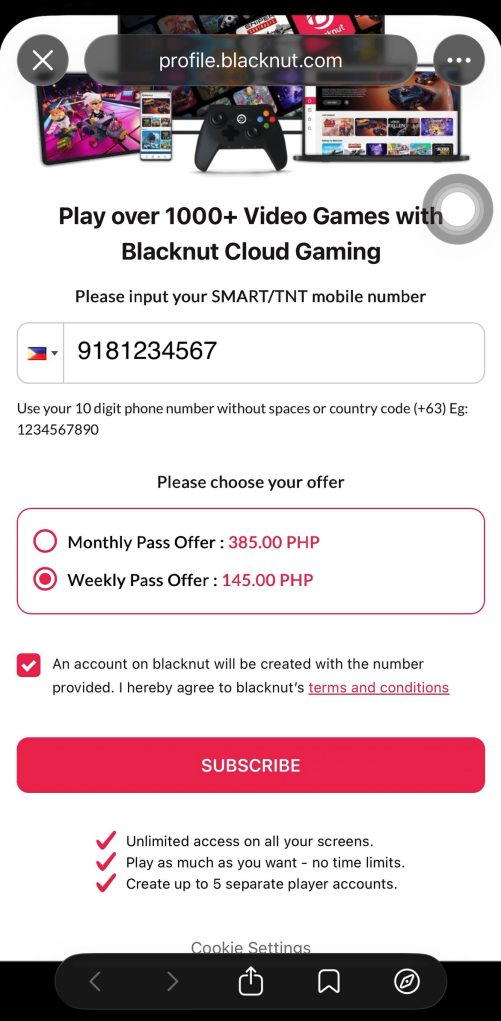
Enter the OTP, then click Confirm.
Step 7
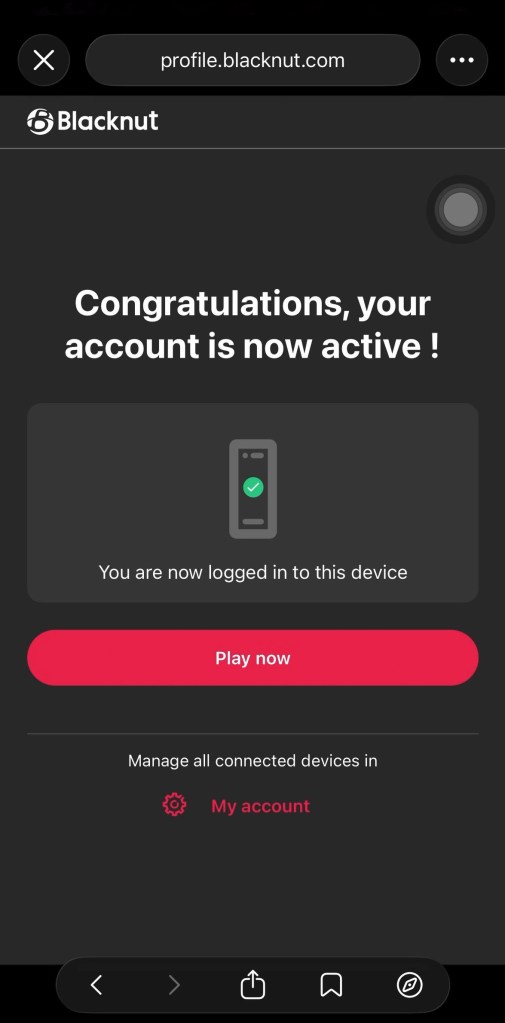
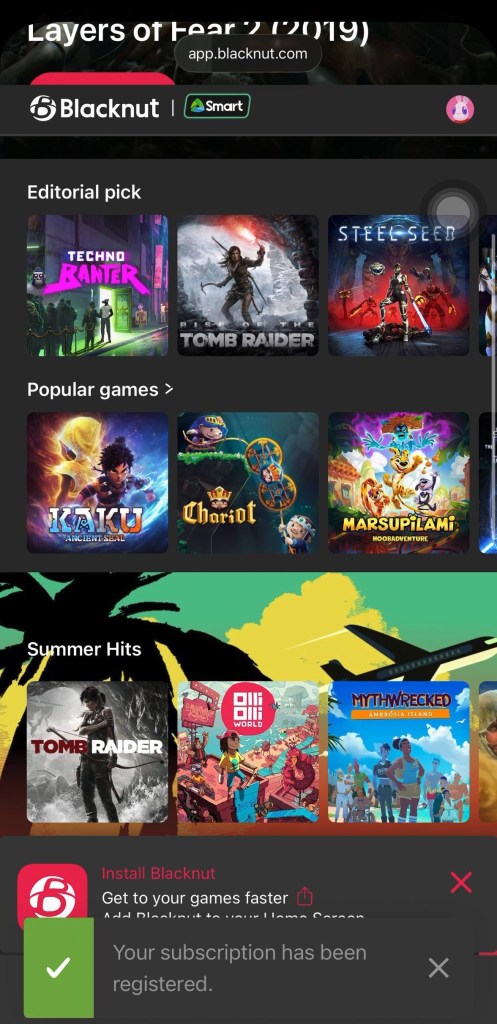
Once your subscription is successful, a confirmation message will appear in your browser.
You will also receive an SMS confirming the successful charge in your Smart Home WiFi modem inbox.
Step 8
Click Play Now to start enjoying Blacknut.
Frequently Asked Questions
Can I subscribe using Smart Home WiFi Prepaid?
Yes. Your subscription fee will be deducted from your available regular load.
Can I subscribe using Smart Home WiFi Postpaid?
Yes. Your subscription fee will be charged directly to your monthly bill through Direct Carrier Billing.
Where can I get my OTP?
Your OTP is sent to your Smart Home WiFi modem inbox. You can access it by logging in to your modem dashboard at 192.168.1.1 while connected to your Smart Home WiFi network.
For detailed instructions, see How to View Your SMS Using Your Smart Home WiFi Device.
What devices can I use?
You can subscribe using any compatible device connected to your Smart Home WiFi.
More Digital Services Coming Soon
Blacknut is the first digital subscription service to be conveniently charged to your Smart Home WiFi account via Direct Carrier Billing.
Watch out for more digital subscriptions and entertainment services that you can enjoy and conveniently charge to your Smart Home WiFi account in the future.