


 Switch to Smart
How to Switch to Smart Prepaid or TNT Online and Keep Your Number
Want to switch to Smart Prepaid or TNT without changing your mobile number? With Mobile Number Portability (MNP), you can keep your existing number and submit your switch request online through the Smart Online Store.
Before You Begin
Make sure you have:
- An active mobile number from another network
- Your Unique Subscriber Code (USC) from your current network
- Access to your mobile number to receive a one-time password (OTP)
- Your personal information and delivery details
The online process currently supports port-ins from other networks to Smart Prepaid or TNT only. Switching from Smart Prepaid, TNT, or Smart Postpaid is not currently supported online. If you want to change between Smart brands, please visit a Smart Store near you.
How to Get Your Unique Subscriber Code (USC)
Request your USC from your current network before submitting your application. This code confirms that your number is eligible for porting.
Here’s how to request it:
- Globe: Visit any Globe Store
- DITO: Request through the DITO App
- GOMO: Chat with a GOMO agent through the GOMO PH website or app
How to Switch Online to Smart Prepaid or TNT
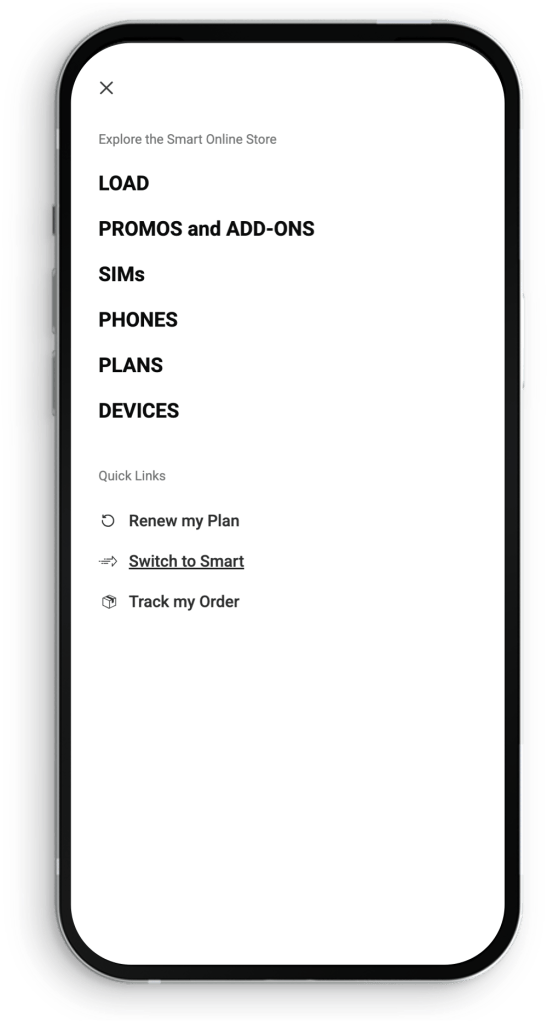
Step 1: Go to the Switch to Smart page
Visit the Switch to Smart page on the Smart Online Store.
Step 2: Select your preferred network
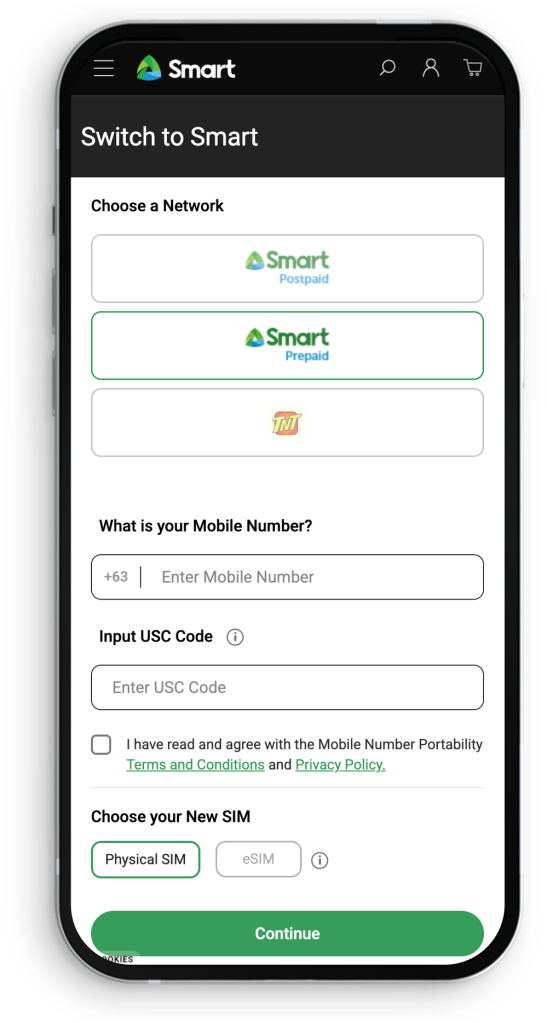
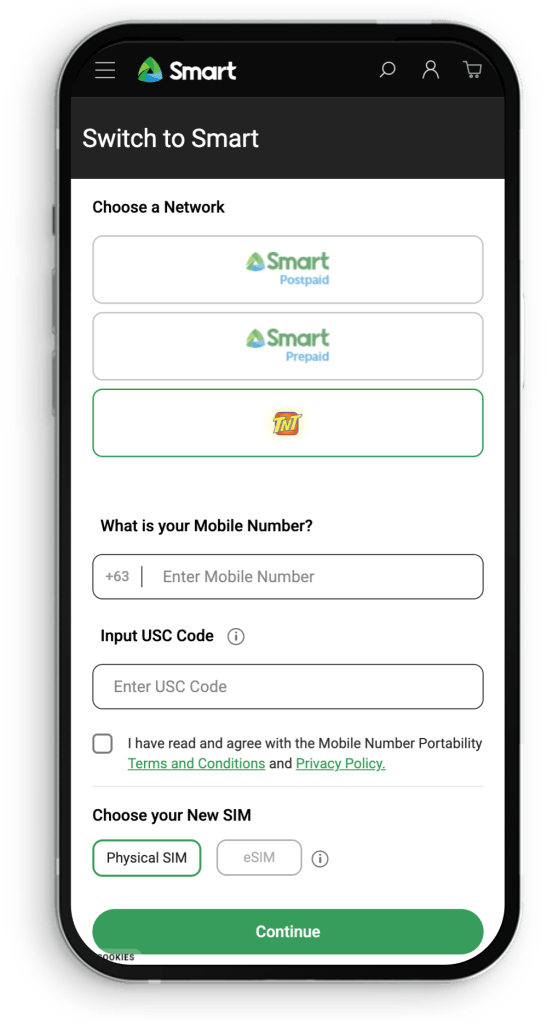
Choose Smart Prepaid or TNT.
Step 3: Enter and verify your details
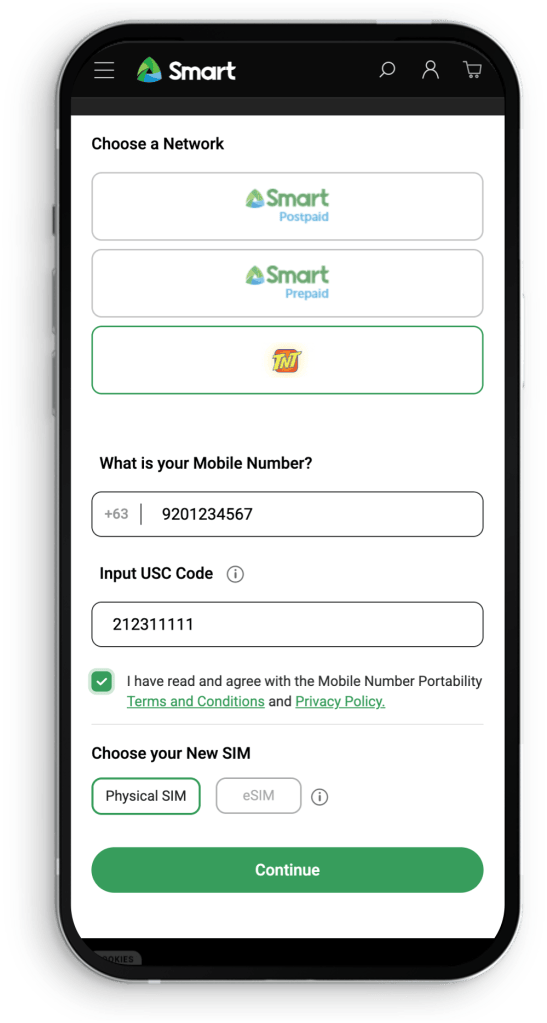
Enter the mobile number you want to switch and your USC.
Verify your details using the OTP sent to your mobile number.
Step 4: Select a physical SIM
Choose the physical SIM option.
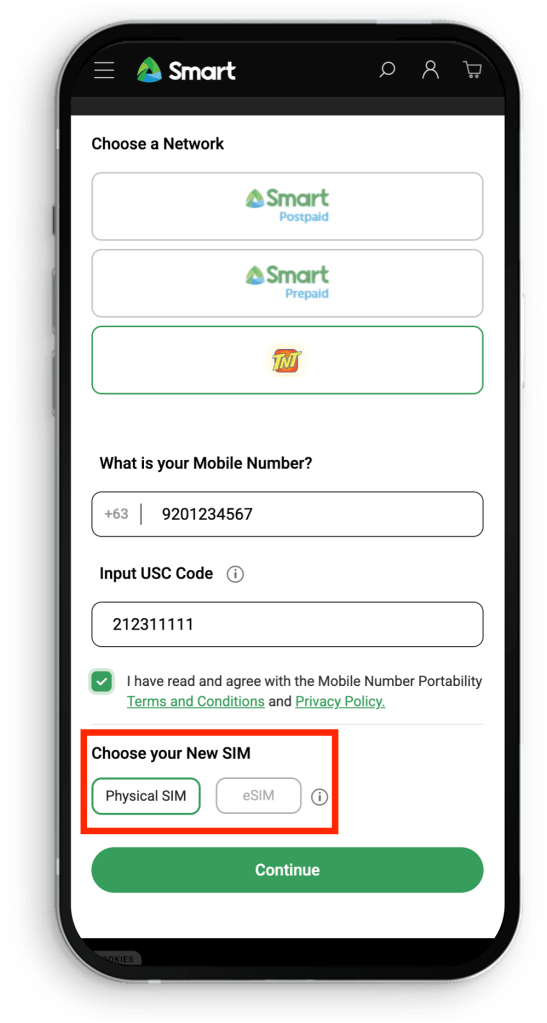
eSIM is currently not available through the online switching process. If you prefer an eSIM, please visit a Smart Store near you.
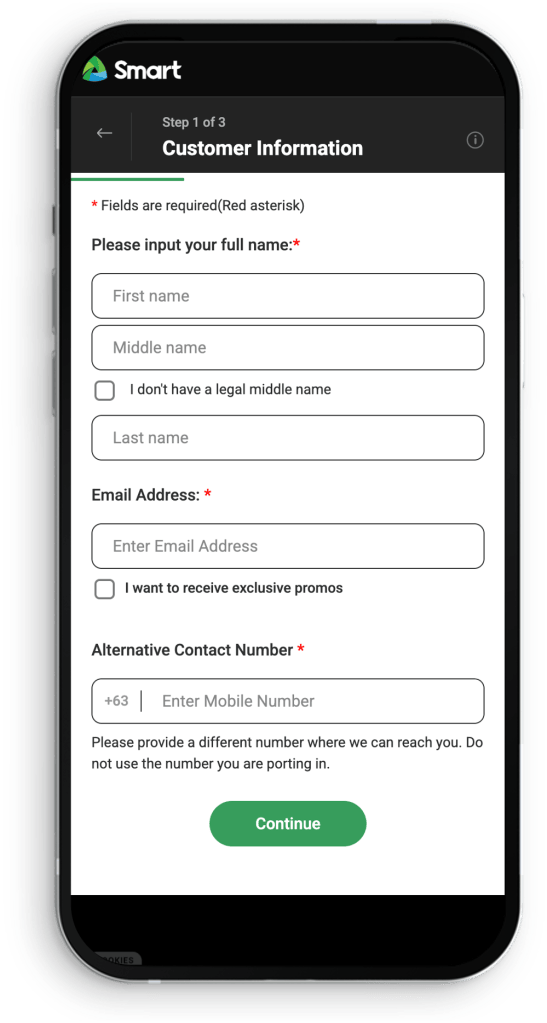
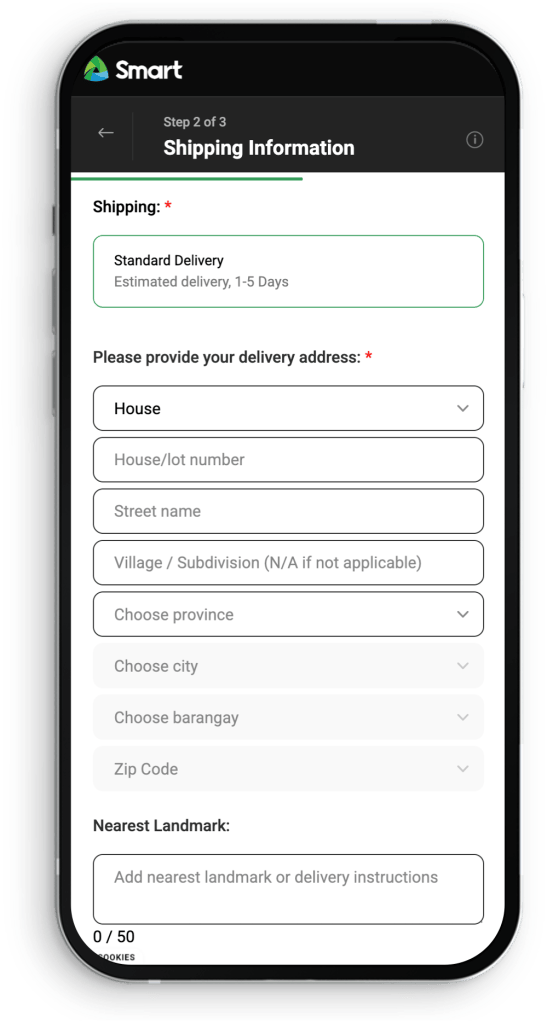
Step 5: Complete the order form
Enter your personal information and shipping details.
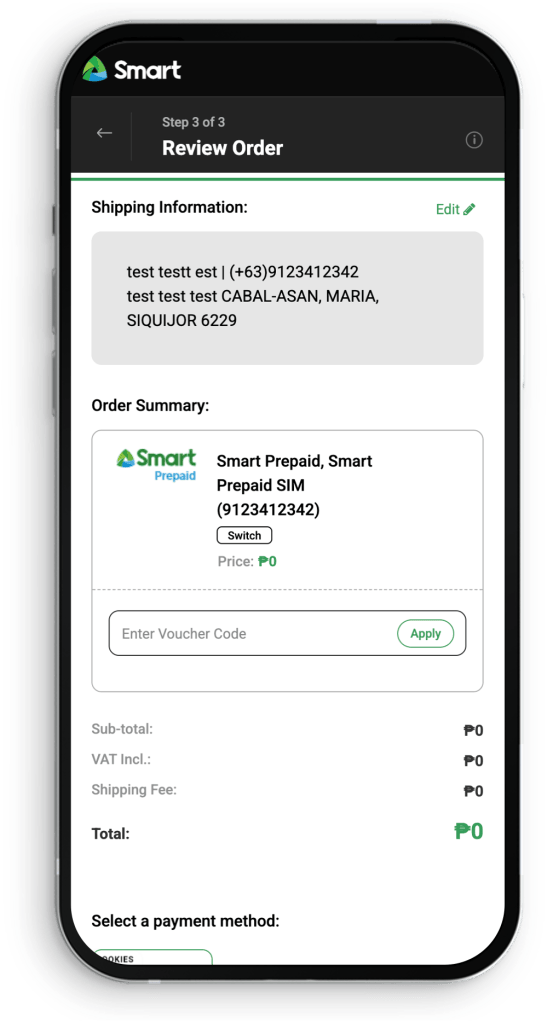
Step 6: Review and place your order
Double-check your details, agree to the Terms and Conditions and Privacy Policy, then select Place Order.
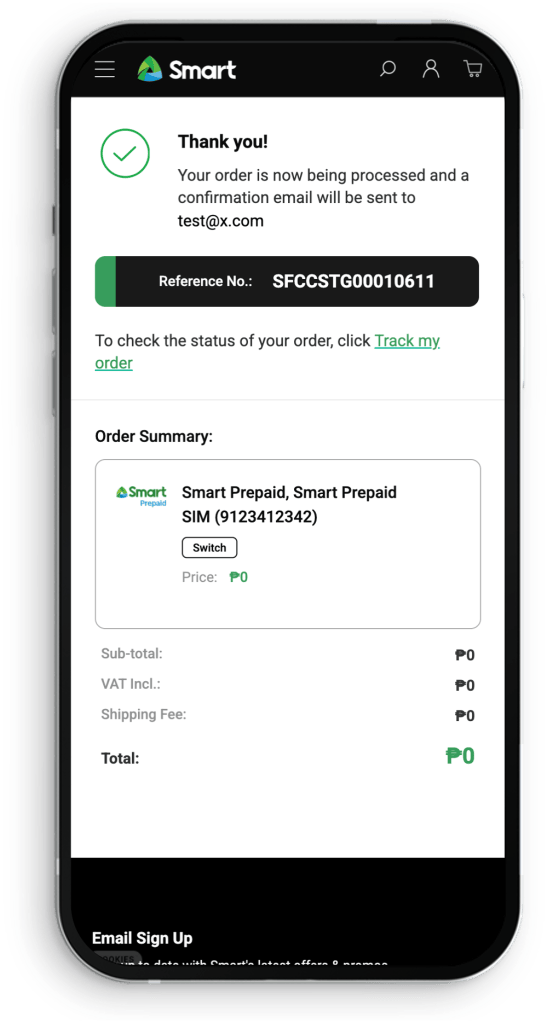
What Happens After I Submit My Application?
You’ll receive an email from Smart with updates on your application status.
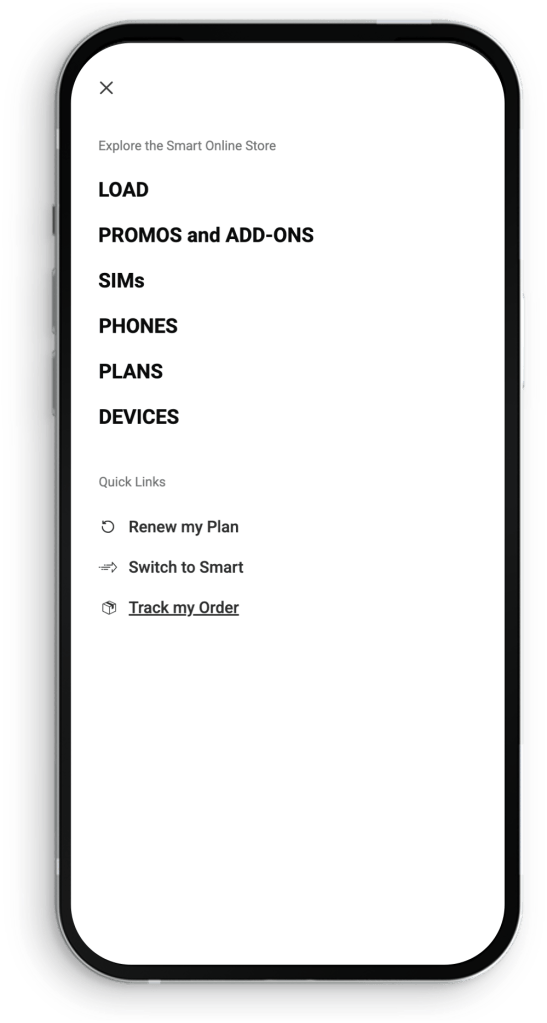
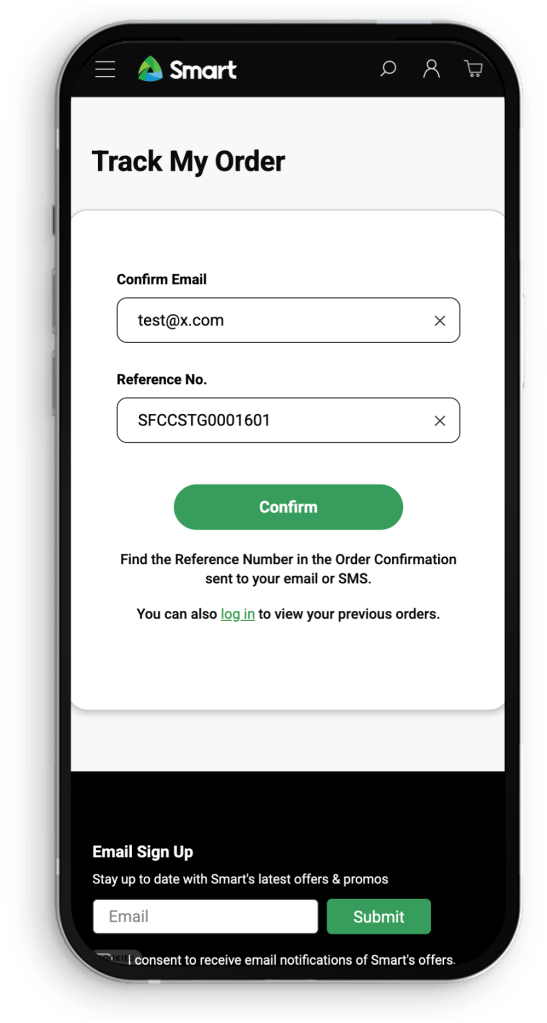
You can also track your application through the Track Order page using the reference number provided after submission.
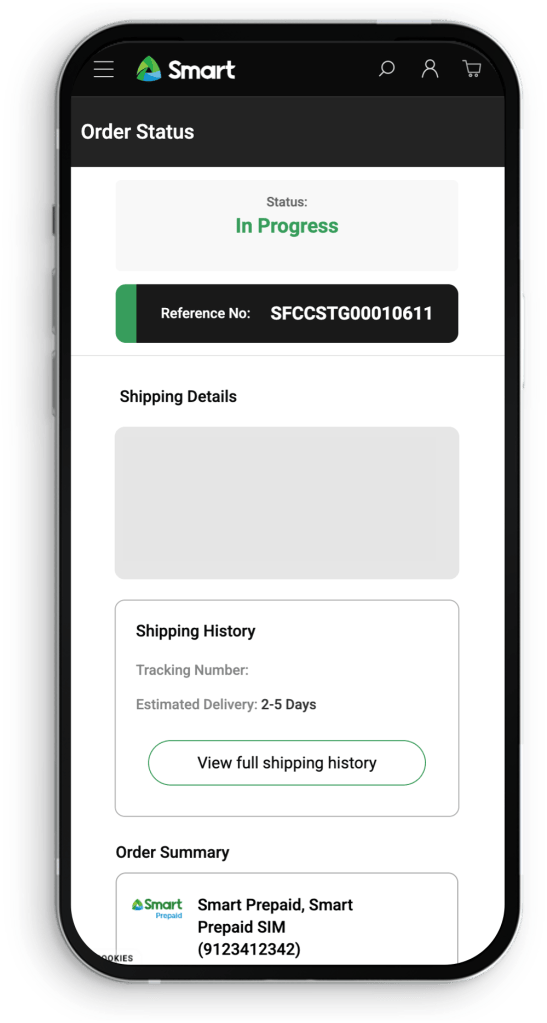
Your application may show any of the following statuses:
- In Progress – Your application is being processed.
- Processing Order – Your order is getting ready for delivery.
- Completed – Your order was successfully delivered.
- Switch Request Failed – Your switch application was unsuccessful. Please visit the nearest Smart Store for assistance.
- Cancelled – Your application has been cancelled.
When Will I Receive My SIM?
Estimated delivery times are:
- NCR/Metro Manila: 1–2 business days
- Luzon: 1–5 business days
- Visayas: 2–5 business days
- Mindanao: 2–5 business days
Delivery lead times may vary depending on your exact location.
Need More Help?
If you need assistance with your switch request, visit a Smart Store near you.