


 Switch to Smart
How to Buy Codashop Credits Using Your Smart Number
Paying for Codashop credits has never been easier! With Smart Communications’ Direct Carrier Billing (DCB) service, you can quickly and securely purchase credits using just your mobile number—no credit card or extra apps needed! Here’s how you can get started and enjoy hassle-free transactions.
1. Visit the Codashop Website
Open your browser and go to the official Codashop website.
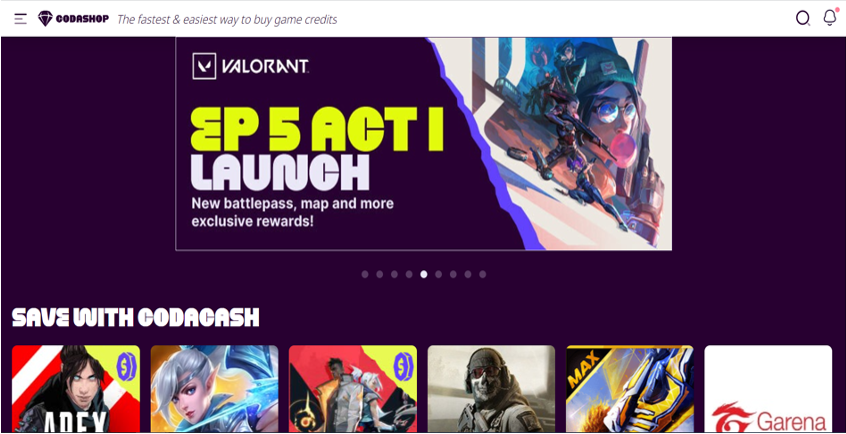
2. Select Credits to Purchase
Browse through the available credits for games or app vouchers and choose the ones you wish to buy. Provide your player ID or other required account information for the selected game or service.
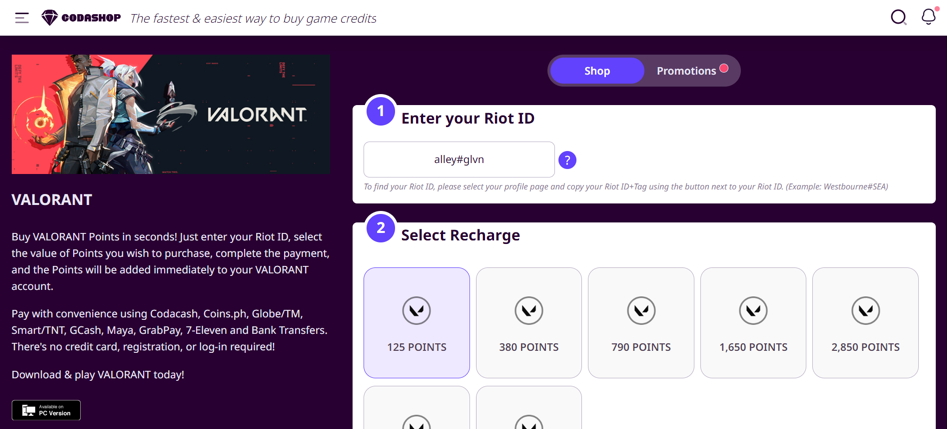
3. Choose Smart/TNT as Payment Option
During checkout, select Smart/TNT from the list of available payment methods.
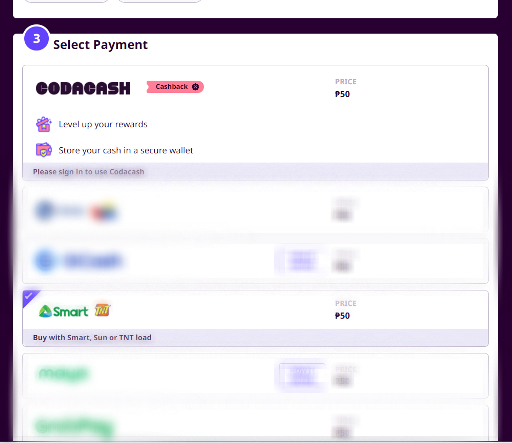
4. Confirm the Amount
Review your purchase details and confirm the amount to proceed.
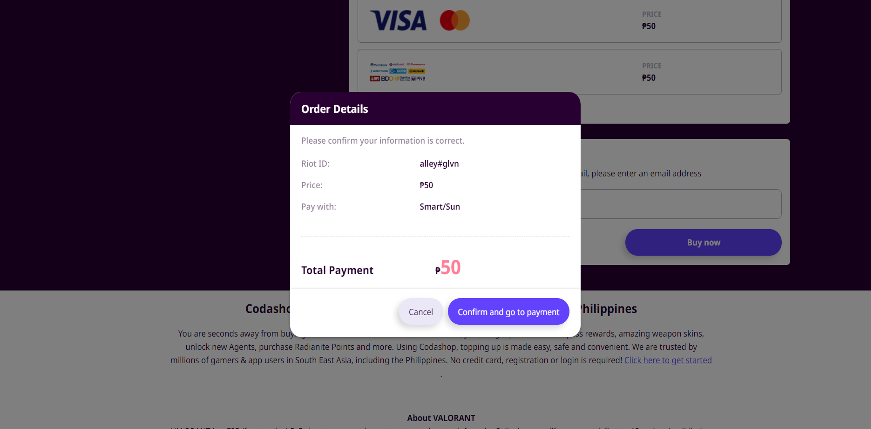
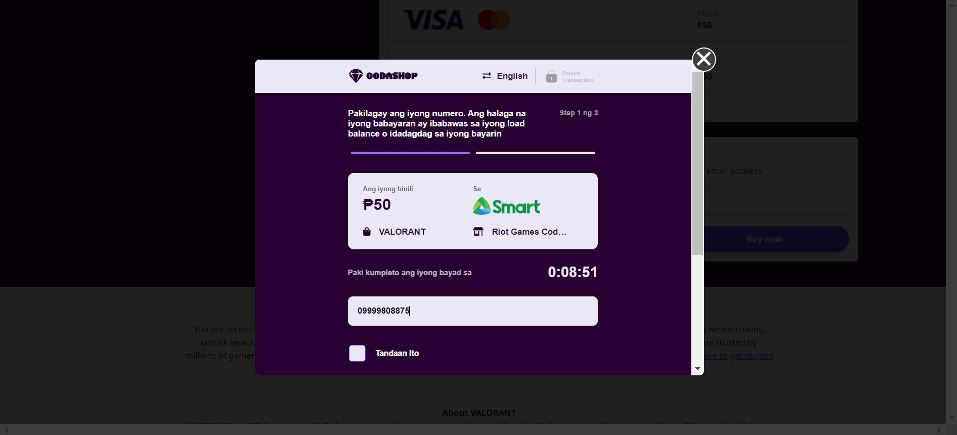
5. Enter Your Mobile Number
Input your Smart or TNT mobile number in the field provided.
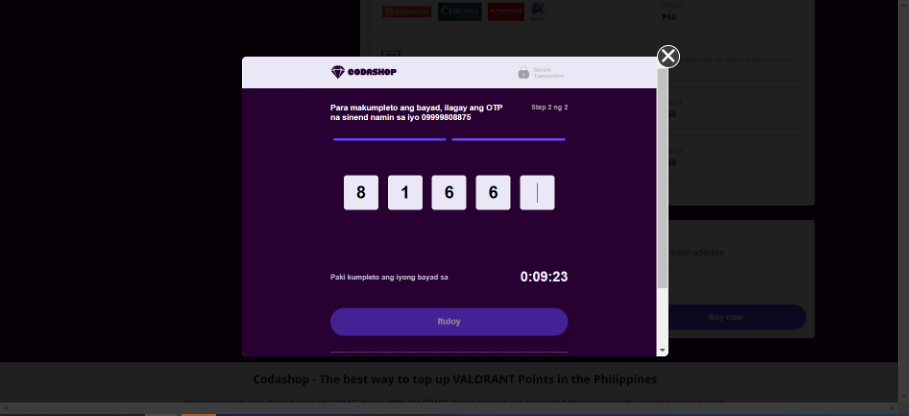
6. Input the OTP Received via SMS
Check your phone for the one-time password (OTP) sent to your mobile number. Enter the OTP on the Codashop website to verify the transaction.
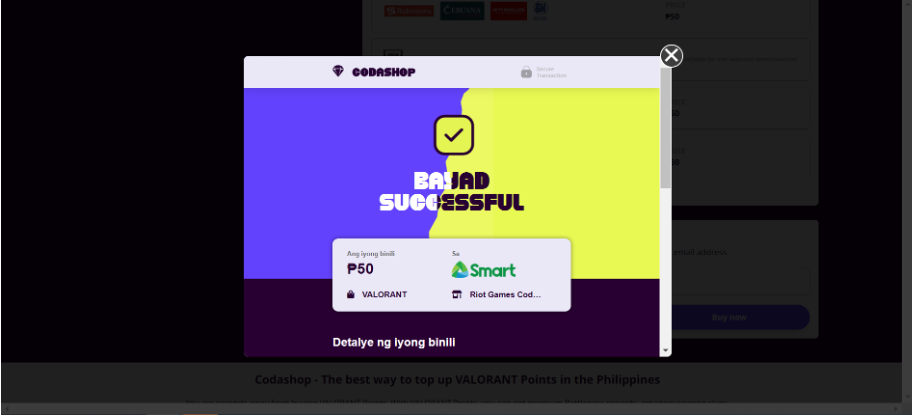
7. Payment Confirmation
After entering the OTP, approve the purchase. The amount will be deducted from your Smart Prepaid load or charged to your Smart Postpaid bill. A payment confirmation screen will appear on the Codashop website.
You’re all set! With Smart’s DCB, buying in-game credits and app vouchers on Codashop is as simple as using your mobile number. If you ever need help, contact us via Smart Communication’s Facebook account. Enjoy your games!