


 Switch to Smart
How to Upgrade Your Smart Postpaid Physical SIM to eSIM via MySmart
Upgrading your Smart Postpaid Physical SIM to eSIM is simple through MySmart. Just follow the steps below
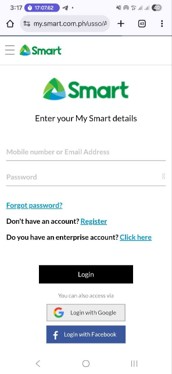
1. Open MySmart and log in or create an account.
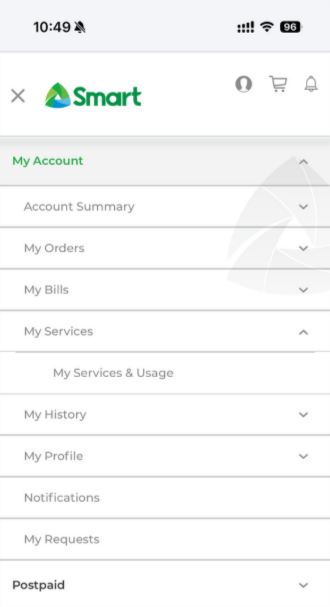
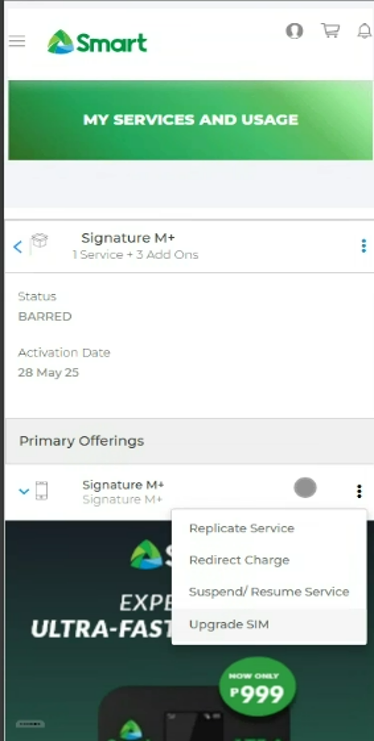
2. Go to My Account > My Services > My Services and Usage, tap on the 3 dots or ellipses beside your Postpaid Plan name, then tap Upgrade SIM.
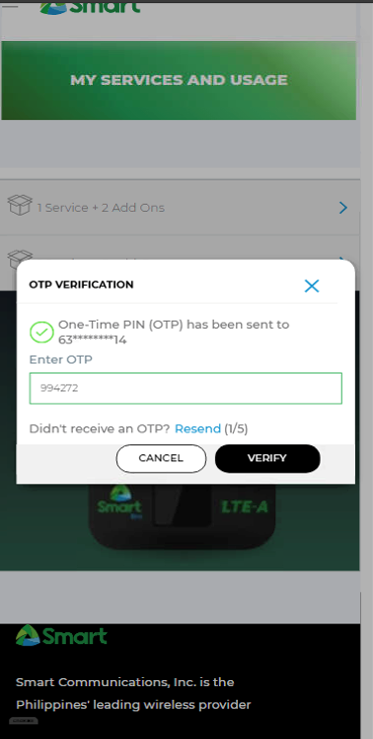
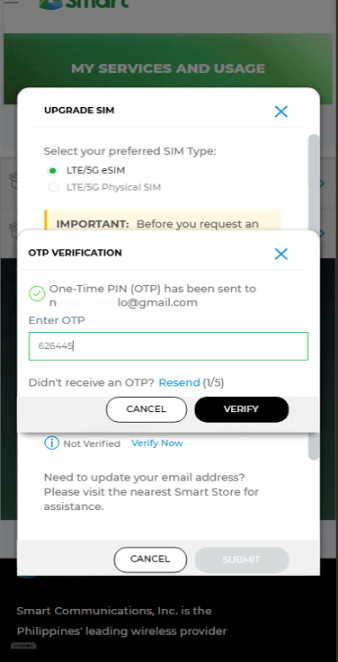
3. Enter the OTP you will receive and tap Verify.
4. Tap Verify Now once you see the Upgrade SIM prompt.
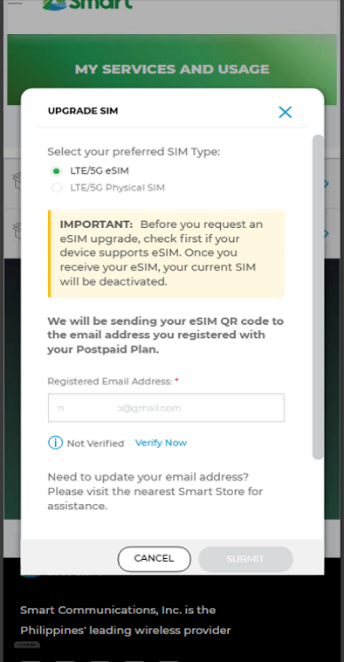
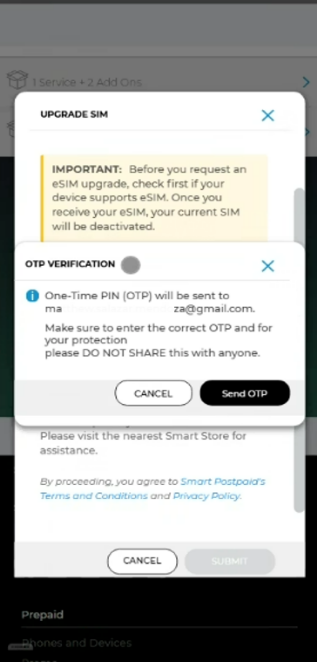
5. Tap Send OTP to begin email verification.
6. Enter the OTP that will be sent to your email and tap Verify.
7. Once successfully verified, tap Submit to proceed.
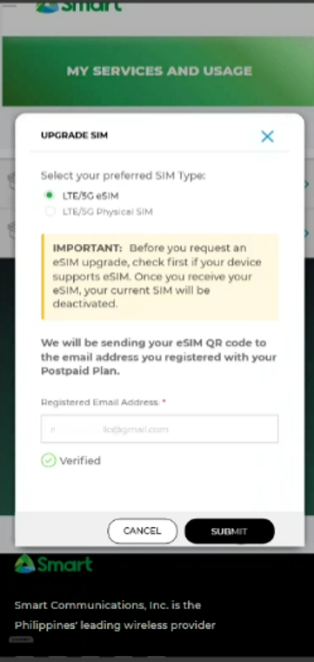
8. Wait for the confirmation screen and for the eSIM QR to arrive in your email.
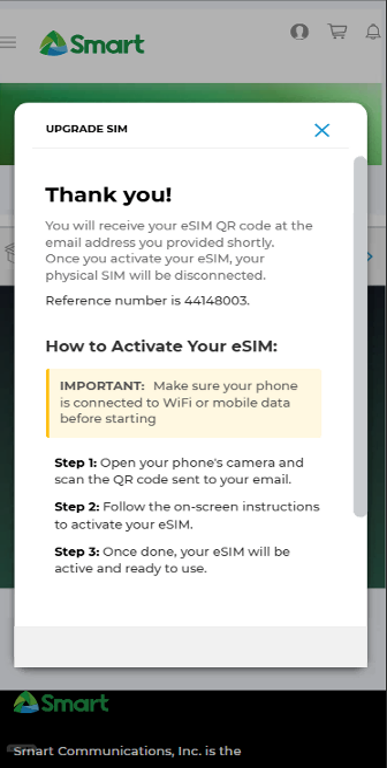
9. Scan the QR that you will receive via email to install the eSIM.
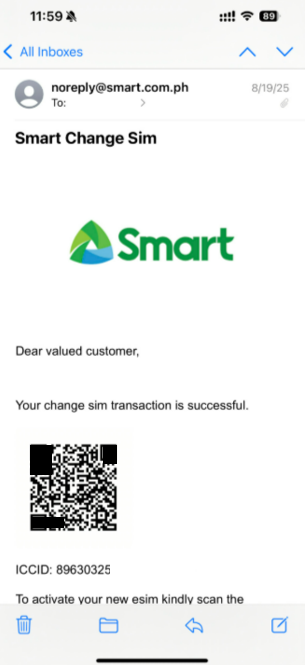
That’s it! You’ve successfully upgraded your Smart Prepaid /TNT physical SIM to eSIM using MySmart.